Before you begin
Things to keep in mind before you start downloading videos on Vimeo:
- Coca-Cola Consolidated uses Vimeo to share high-quality videos. A Vimeo account is required.
- Ensure that you’re logged in to your Vimeo account to download source files from public videos.
- Remember that bulk downloading is not supported.
How to download a video on Vimeo
To download a video on Vimeo:
- Click the Video’s Title, to open it in Vimeo.com.
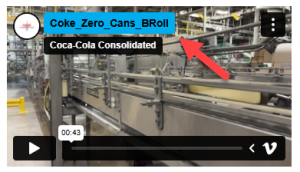
- Select the Download button below the video player on the video page.
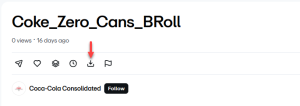
- A modal window will appear with different file sizes to choose from.
- Select the download icon next to the version you want to download.
⚠️Note: You must be logged in to download a source file for a Public video.
- You will be prompted to save the video to your device.
- Depending on your browser, selecting the download icon may result in the video opening in a new tab instead of downloading the file to your computer. If this occurs:
- For Windows users: Right-click on the link and choose Save as or Save target as.
- For Mac users: Hold down the Control key on your keyboard and click the link, then choose Save link as or Download linked file.